Patterns and actions that perform a magical effect on the world.
Thresholds are about anchoring one location with the intent to be at another. Creating a threshold between the two places. With a strong enough intent, I can even bridge across dimensions. I wonder if I can create a frame that permanently holds a threshold in place indefinitely? I'm inspired by Nether Portals and my Deepslate.
Manifest Threshold (vec, presence, num, text?, pigment? → none)
Takes a vector, a Prescence intent, media allocation and an optional string label and pigment. Opens a portal bridging two locations together.Cost: 2 dust per second. 35 Charged Crystal on frame.
Presence Intent (vec, vec → presenceIntent)
Takes a location and a directional vector and creates an intent. Used with manifest threshold.Cost: 35 amethyst.
Raze Manifestation (vec, num → none)
Takes an origin vector and a radius, destroys manifestations (portals and relays) in that area. Based on permissions.
Manifest Relay (vec, vec, vec, num? → none)
Takes a destination vector for where the relay will go, then a face vector to choose which side to manifest it on, and then a target vector for the thing to link the relay to.
Optionally you can specify a power up to 15 as the final argument to emit a redstone signal when the relay is activated.
Activating that relay will proxy the caster's interaction to the target as if they were interacting with it themselves.
Be aware that some things require the presence of a person to work fully, so the dream of opening chests from across the world will have to stay a dream.
Equation Hex Cloud (vec|entity, equation, num → none)
Creates large particle effects from an Equation Particle iota to avoid large vector lists. The Iota can be created using an Equation Synthesizer block. Uses an ID to keep positional state like Hex Trail.
Inputs:
target: vector where the point cloud is created,
OR
anchor: entity center to follow,
OR
anchor + offset: entity center plus offset vector.
equation: Equation Particle iota that defines point layout and colour behavior.
id: numeric cloud id.
Using the same id smoothly moves the cloud between positions.
Hex Trail (vec, vec, vec, num, num, num? → none)
Hex Trail creates a particle trail as it moves. By using the same ID across casts you can create a continuous trail that moves smoothy between positions.
The positions have to be within 10 blocks of each other for the trail to smoothy move between them, otherwise it will snap to the new position. You also specify two colours for the trail to cycle between and a duration in ticks for the colour transition. There are a variety of particle types to choose from, some new and some from vanilla Minecraft. Not all particles can be tinted. The ID allows you to have multiple trails active and make sure they all animate independently.
Inputs:
position: vector for the particle to appear at or move to.
color from: RGB vector (0..1) at the start of the color cycle.
color to: RGB vector (0..1) at the end of the color cycle.
duration: time in ticks it takes for the colour to transition
id: trail identifier. This is what's used to look up the last position and animate between the position.
type?: optional particle style as a number (default 0).
Types:
0 dust ribbon
1 sparks
2 trail
3 pulse beads
4 end rod
5 witch plume
6 enchant flecks
7 soul flames
8 solid beams
9 ring lattices
10 lightning arcs
11 hex conjure ribbons
12 hex conjure sparkss
13 hex conjure trails
14 dual-helix.
Manifest Spell Circle ([pattern], vec, vec, num, num?, vec? → none)
Projects a solid spell circle into the world displaying a pattern for a duration before disintegrating.Cost: 1/500 dust.
Inputs:
patterns: non-empty list of patterns to embed around the ring (max 48).
origin: vector for circle center.
facing: vector used as the circle plane.
duration: lifetime in ticks (1..1200).
size?: optional number 1..6 (default 3).
An experiment in splitting my mind. I created unstable slivers of my own will that whilst a shadow of myself, could indeptendently cast, whilst taking the cost from myself. They would often collapse after one cast but I did observe some splinters renewing themselves perpetually, fascinating.
A peculiar side effect is that my mind splits larges amounts of work into chunks, across ticks, instead of doing it all at once. A splinter only has 16 ambit around itself. If it mishaps, it simply collapses rather than rebounding on to myself.
Manifest Splinter (vec, num, list → none)
Creates a splinter at a position, with a delay and a list of patterns to cast. The splinter casts the payload as if it were the caster, then collapses. The splinter's location is only visible to its creator.
Position: vector to summon at.
delay: time in ticks before cast.
list of patterns: list of patterns to be cast.
Cost: 5 dust x (active splinters + 1).
Splinters resume casts between Hex continuation steps. They cannot interrupt one heavy synchronous operation, so very large block edits should be implemented as explicit per-tick walkers.
Renew Splinter (vec, num → none)
Only castable by a splinter. Renews the current splinter, with the same pattern. Preserves the Ravenmind between splinters.
Inputs:
position: vector to summon at.
delay: time in ticks before cast after current splinter work has finished.
Cost: replacing at the same position is free but moving to a new position costs 1/500 dust.
Saturn's Gambit (pattern → none)
Like Hermes' Gambit but executes it asynchronously, splitting up large lists of work over multiple ticks that execute synchronously.
It borrows the technique from Splinters but is not a Splinter.
Get Splinter Location (→ vec)
Only castable by a splinter. Returns the current vector of the splinter. Useful for self-renewal.
Destroy Current Splinter (→ none)
Only castable by a splinter. Dismisses only the current splinter.
Destroy Splinters (→ none)
Dismisses all splinters you have active.
Sometimes I just want to add a little flair to my charmed items, and with this, I finally can. I can now set the sound a charmed item makes when it casts!
Set Charm Cast Sound (string | text | null, item entity? → none)
Changes the sound a charmed item makes when casting.
Top of stack is string, text, or null.Cost: 10 dust.
Use string sound id (namespace:path) to change the charm in the offhand to that sound, or null to mute.
Optionally you can pass a charmed item entity at the top of the stack to change that instead.
Exit If Interacting (none → none)
Exits a hex if caster uses something interactable. Useful for charmed items that use righ-click.
Open Casting Screen (none → none)
Opens the spell grid and must be cast by a person.
Clear Stack (none → none)
Clears the caster's persisted staff stack (the shift, right-click stack). Must be cast by a person.
 Items
Items Mind Vault
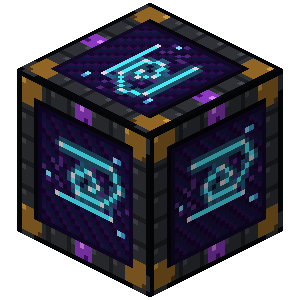 Hex Reliquary
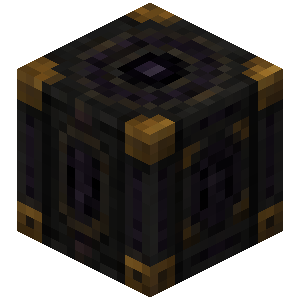 Contained Splinter
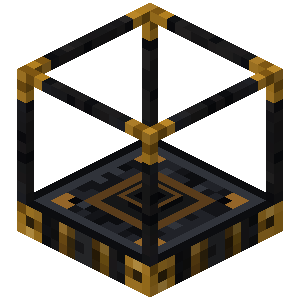 Equation Synthesizer
 Memory Crystal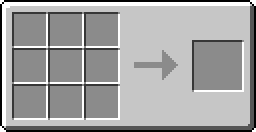

 Spells
 Menu Manifestation
 Manifest Threshold
 Manifest Relay
 Splinters
 Charming Intent